



Implementing a PIM tool (1/3): setting up your product records
2 March 2022

To manage their product enrichment process effectively, deploying a PIM (Product Information Management) system is often an obvious choice for businesses.
Before you get started, do you need to understand the different stages that will enable you to cover your entire product creation workflow, from design right through to market launch? Quable helps you gain a clearer understanding of the key steps involved in setting up a PIM, and supports you in modernising your processes and optimising your development.
Simplifying the enrichment and distribution of your product range with a PIM solution
Many brands keen to embrace digitalisation are looking to move away from using Excel files and time-consuming methods—which are often error-prone—in order to easily update and enrich their product database. But implementing a PIM can seem daunting. Unnecessarily so, as a high-performance PIM tool can be adapted to businesses of all sizes and capitalises on the structure of existing data.
“Our aim isn’t to create a ‘big bang’ for our clients, but to understand how their teams work on a day-to-day basis.” – Baptiste Legeay, Managing Director at Quable.
For a successful roll-out, the first step is to initialise well-structured, high-quality data.

Data initialisation and mapping: the first steps in getting your PIM up and running
Product codes, colours, dimensions, care instructions, storage conditions or technical information… Your business and your ERP system are treasure troves of information and brimming with product data.
Once a product has been approved and launched, you can import this data into a PIM to manage your product catalogue effectively.
How does it work with Quable?
Quable’s PIM software retrieves technical and logistical data relating to product coding or classification from your ERP and makes it accessible via a seamless, clear and user-friendly interface.
Fully customisable, this platform gives you centralised access to the properties you need and allows you to receive notifications directly on your dashboard. These will alert you, for example, to the arrival of a new product or an update.
Seamless integration with Quable
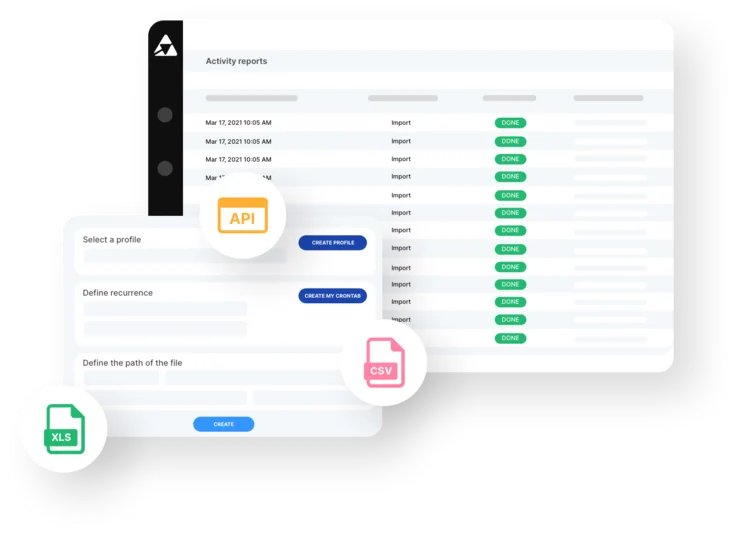
Through its import platform, Quable can integrate with other platforms on the market. The software can import 200,000 products with over 100 attributes in under 3 minutes. It’s also possible to retrieve plain CSV or Excel files from an FTP server and set the frequency of data retrieval (once a day, once a week, etc.).
Say goodbye to your old Excel files
In the companies we work with, before their PIM tool is implemented, we often find information stored in rather cumbersome Excel files, which contain all the product information.
This is sometimes compounded by the use of multiple parallel files: one for Amazon, one for e-commerce, another for marketplaces… And not all of them necessarily have the same attributes, nor do they all require the same information.
The company has to manage updates, file formats (plain text, CSV, Excel, etc.) and language variations – French, English, Spanish, Chinese, Arabic, etc. The more sales channels and languages you manage, the more time-consuming and error-prone the management of these files becomes.
Our aim is to transform this tedious Excel file into a simple, efficient and user-friendly solution for the business that will be using it.
How can you customise your product listings?
Let’s look at a practical example of updating a product listing.
With Quable PIM, there’s no need to manage columns and rows in Excel: users can find all the information they need on a clear, well-organised product sheet, where they can manage all the attributes of their product catalogue.
To meet the business’s needs as precisely as possible and avoid information overload, the details centralised on this sheet are fully customisable. The display of the required properties can be configured in just a few clicks within the solution, with a visual overview of the completion levels for your various channels (Amazon, e-commerce, printed catalogue or others). Depending on the channels you wish to populate, you can see at a glance which fields to complete and define the desired level of data enrichment.
Product data quality and completeness
Quable enables you to ensure the completeness and quality of your product data efficiently and simply thanks to a highly customisable dashboard. This dashboard allows you to create metrics by arrival date and obtain a business-specific view per employee. It gives you a clear and precise overview of the lifecycle of your product data!
The software allows you to configure import profiles, customise the frequency of data retrieval and map fields to match your ERP’s file structure precisely.
And as products from your ERP are added to the PIM in real time, your teams are constantly notified so that the product repository can be kept up to date.
All these features enable you to manage your data optimally, whilst also connecting with most platforms on the market.
Key points
Quable is an easy-to-use solution that allows you to easily initialise and migrate all your product data. It enables you to:
- Leverage data already held by the company;
- Map data;
- Plan and integrate your product information;
- Cover your entire product definition workflow, from creation through to launch
Quable guarantees optimal performance when importing your product data and seamless integration with your existing tools. Setting up your PIM is a breeze! Fancy finding out more about our solution? Request a demo!